Mood Widget for Couples on iPhone: 8 Apps Compared (2026)
Eight iPhone apps that put your mood on your partner's screen, compared on Lock Screen support, minimum iOS, other widgets, and price. Checked 4 November 2026.
| App | Your mood on your partner's screen | Lock Screen | Min. iOS | Other widgets | One plan for both | Cost |
|---|---|---|---|---|---|---|
| Feels - Mood Widget | Mood widget with a shared streak | Not listed | iOS 26.0 | Not listed | No purchases listed | Free |
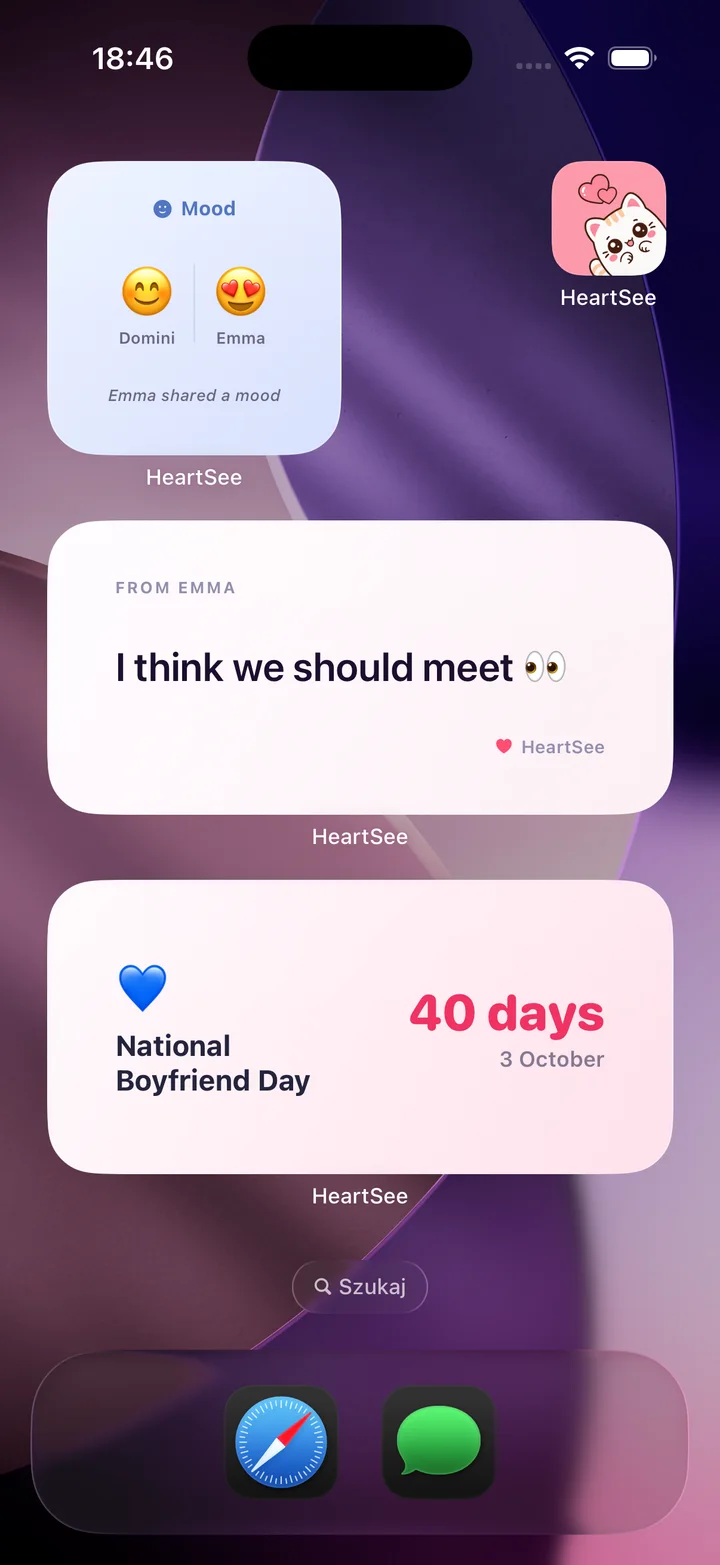
| HeartSee (our app) | Mood on their Home Screen; 12 feelings in the picker, plus custom moods | Widgets yes; mood on the Lock Screen not stated | iOS 15.1 | Notes, doodles, distance; a countdown (our screenshot) | Yes (release notes) | Free; Premium $4.99 to $12.99 a month, $19.99 to $39.99 a year, $7.99 a week |
| iFeely | Mood on their widgets and Dynamic Island, with a "felt it" reply | Yes | iOS 18.6 | Steps, days together, next visit, both clocks, doodles | Yes | Free; Premium $4.99 a month, $23.99 to $39.99 a year |
| Loveya | Partner Mood widget; 22 preset moods or any emoji | Yes | iOS 26.0 | Days together, distance, countdown, photo, handwritten note | Yes | Free; Premium $9.99 a month or $29.99 a year |
| Mazii | Mood or photo on a live widget | Not stated | iOS 15.0 | Photos, doodles, reminders | Not stated | Free; plans $1.99, $9.99, $17.99 |
| Mood Pass | Mood on their Home Screen; custom moods and "need" messages | Not listed | iOS 17.6 | Nudges | Not stated | Free; Plus $4.99 a month or $35.90 a year |
| MoodMe | 400+ moods; Home Screen widgets (release notes) | Not listed | iOS 12.4 | Not listed | Not stated | Free; Basic $7.99 to $59.99 |
| Together: Couples App | Partner's mood and mood note on widgets | Yes | iOS 17.6 | Battery, countdown, distance (Premium) | Yes | Free; Premium $1.49 to $29.99, lifetime $89.99 |
How was this comparison made?
HeartSee publishes this article and is one of the eight apps. There are no paid placements and no affiliate links. Every fact in the table comes from the app's US App Store listing or its release notes, checked on 4 November 2026; the HeartSee row also uses our own app screenshots. We did not run the same hands-on test on every app. "Not listed" or "Not stated" means we did not find it in the listing, not that the app cannot do it.
We also looked at Shared Mood: Couples widget, which appears in searches for this topic, but its US App Store listing was unavailable on 4 November 2026, so it is not in the table.
Related reading: Read our review methodology
Which mood widget apps need the newest iOS?
Loveya and Feels require iOS 26.0, iFeely requires iOS 18.6, and Together and Mood Pass require iOS 17.6. HeartSee needs iOS 15.1, Mazii iOS 15.0, and MoodMe iOS 12.4. Check both iPhones before you choose, because a shared widget only works if both of you can install the app.
Loveya's release notes add a detail worth knowing: its real-time widgets, where partner moods and photos appear without opening the app, are listed for iOS 26 and later. Whatever the app, Lock Screen widgets need iOS 16 or later.
Does my partner see my mood change right away?
Not always. iOS controls how often widgets refresh, so a new mood can take a while to appear, especially in Low Power Mode. Opening the app usually brings the widget up to date. Some listings promise more: Mazii describes updates appearing instantly, iFeely also shows moods in the Dynamic Island, and Loveya lists real-time widgets on iOS 26.
For anything urgent, send a message or call. A mood widget works best as a quiet background signal, not a way to raise an alarm.
Related reading: Couples widget not updating? Fixes for iPhone
When is a mood widget better than texting to ask how they are?
A mood widget helps when you cannot easily talk: different time zones, long shifts, exams, or days when you have no energy to explain. One tap says "tired" or "lonely" without starting a conversation, and your partner sees it the next time they look at their phone.
It does not replace a conversation. If a mood such as Sad or Anxious stays for days, ask about it directly. Some couples agree on what a mood means in advance, for example that Needy means "call me when you can", which turns the widget into a small shared language.
- Pick a mood when you wake up and again before bed, in your own time zone.
- Agree that no reply is needed unless one of you asks for one.
- Use the same few moods consistently so they mean something.
- Look at the widget before you call, to know what kind of call it should be.
Related reading: Time zone widget for couples: see your partner's local time
What data do mood widget apps declare in their privacy labels?
Each developer fills in the App Privacy section of its listing. It shows categories rather than exact uses, but it is a quick way to compare apps before you share how you feel every day. This is what the US listings showed on 4 November 2026.
- Feels: name, user content, identifiers, usage data, and diagnostics linked to you; nothing listed as used to track you.
- HeartSee: identifiers used to track you; device ID, purchases, name, and other user content linked to you; precise location not linked to you. Its age rating section says it contains advertising.
- iFeely: health and fitness, precise location, contact info, photos or videos, and identifiers linked to you.
- Loveya: purchases, coarse location, name, photos or videos, and identifiers linked to you.
- Mazii: email address linked to you, including for third-party advertising; usage data, diagnostics, and coarse location not linked to you.
- Mood Pass: identifiers used to track you; identifiers and usage data linked to you; diagnostics not linked to you.
- MoodMe: usage data used to track you and linked to you.
- Together: coarse location, contact info, user content, and identifiers linked to you.
Frequently asked questions
Is there a mood widget for couples on iPhone?
Not built into iOS, but several apps add one. Feels, HeartSee, iFeely, Loveya, Mazii, Mood Pass, MoodMe, and Together all put your mood on your partner's screen once you both install the same app and pair.
Do both partners need the app to share moods?
Yes. Each app pairs two accounts, so both of you install it, connect (usually with a code or a link), and add the widget on your own iPhone.
Which couples mood widget works on the Lock Screen?
iFeely, Loveya, and Together say their mood widgets work on the Lock Screen as well as the Home Screen. Lock Screen widgets need iOS 16 or later. HeartSee has Lock Screen widgets, but its listing does not say whether the mood appears there.
Is there a free mood widget app for couples?
All eight apps in our table are free to download. Feels listed no in-app purchases on 4 November 2026; the others sell optional subscriptions or plans, and most listings do not spell out which features stay free.
Is there a couples mood widget for Android?
None of the eight listings we checked mentions an Android version. HeartSee is iPhone only.
Do we both need to pay for Premium?
Not always. HeartSee's release notes and the listings for iFeely, Loveya, and Together say one subscription covers both partners. Mazii, Mood Pass, and MoodMe do not say, so check before you subscribe.
Sources and product information
Product and platform details were checked against these official pages. Store availability, pricing, and iOS behavior may change.