Best Apps for Long-Distance Couples (2026): 10 Compared
Ten long-distance couples apps compared by the job they do: widgets and distance, daily questions, visit planning, photos, and video across time zones. Checked Oct 2026.
| App | What it helps with | Widgets | Distance | Requires | Android | Cost |
|---|---|---|---|---|---|---|
| Agapé | One daily question; answers appear once you both reply | Not listed | Not listed | iOS 15.6 | Yes (developer site) | Free; Premium in-app purchase |
| Between | A private chat, album, and shared calendar for two | Not listed | Not listed | iOS 14.1 | Not checked | Free; Between Plus $2.99 a month or $24.99 a year |
| Candle | Daily photo prompts, games, and questions | Home Screen; Lock Screen countdowns (release notes) | Distance widget (release notes) | iOS 16.4 | Widgets mentioned (release notes) | Free; Premium $12.99 a month or $39.99 a year |
| Couple Joy | Distance, countdowns, and daily questions | Home and Lock Screen | Yes | iOS 16.4 | Yes (developer site) | Free; Premium in-app purchase |
| Cupla | Shared calendar, key dates, and visit countdowns | Yes (listing) | Not listed | iOS 16.0 | Not checked | Free; subscription in-app purchase |
| HeartSee | A private space for two: distance, moods, drawings, games | Home and Lock Screen | Yes | iOS 15.1 | No, iPhone only | Free; one Premium subscription covers both partners |
| Locket | Live photos from up to 20 friends | Home Screen | Not listed | iOS 15.0 | Not checked | Free; optional Locket Gold |
| Marco Polo | Video messages you watch when you are free | Not listed | Not listed | iOS 16.0 | Not checked | Free; Marco Polo Plus in-app purchase |
| Paired | Daily questions, quizzes, and games | Not listed | Not listed | iOS 17.0 | Not checked | Free; Paired Premium in-app purchase |
| Widgetable | Playful widgets, shared virtual pets, and moods | Home and Lock Screen | Yes | iOS 16.0 | Not checked | Free; Premium $4.99 a month or $19.99 a year |
Which long-distance app should you choose?
The best app for a long-distance couple depends on what feels hardest: staying present during the day, finding new things to talk about, planning visits, or bridging time zones. We compare ten apps by that job. HeartSee publishes this article and is one of the ten; no app paid to be included and there are no affiliate links.
The table lists the apps alphabetically, with facts from each US App Store listing, or the developer's own site where noted, checked on 23 October 2026. We did not run identical tests on every app, so "Not listed" means the listing does not mention a feature, not that it is missing. Rating counts differ widely: Marco Polo shows about 2.2 million ratings, Locket about 582 thousand, Paired about 210 thousand, and HeartSee 13. Prices and features change, so check the store before you subscribe.
- For quiet daily presence: widgets (HeartSee, Widgetable, Couple Joy, Candle) or photos (Locket).
- For deeper conversations: questions and games (Paired, Agapé).
- For difficult schedules: video messages (Marco Polo) or a shared calendar (Cupla).
- For shared history: a private chat and album (Between) or a memory book (HeartSee).
HeartSee (our app): widgets, distance, and small daily signals on iPhone
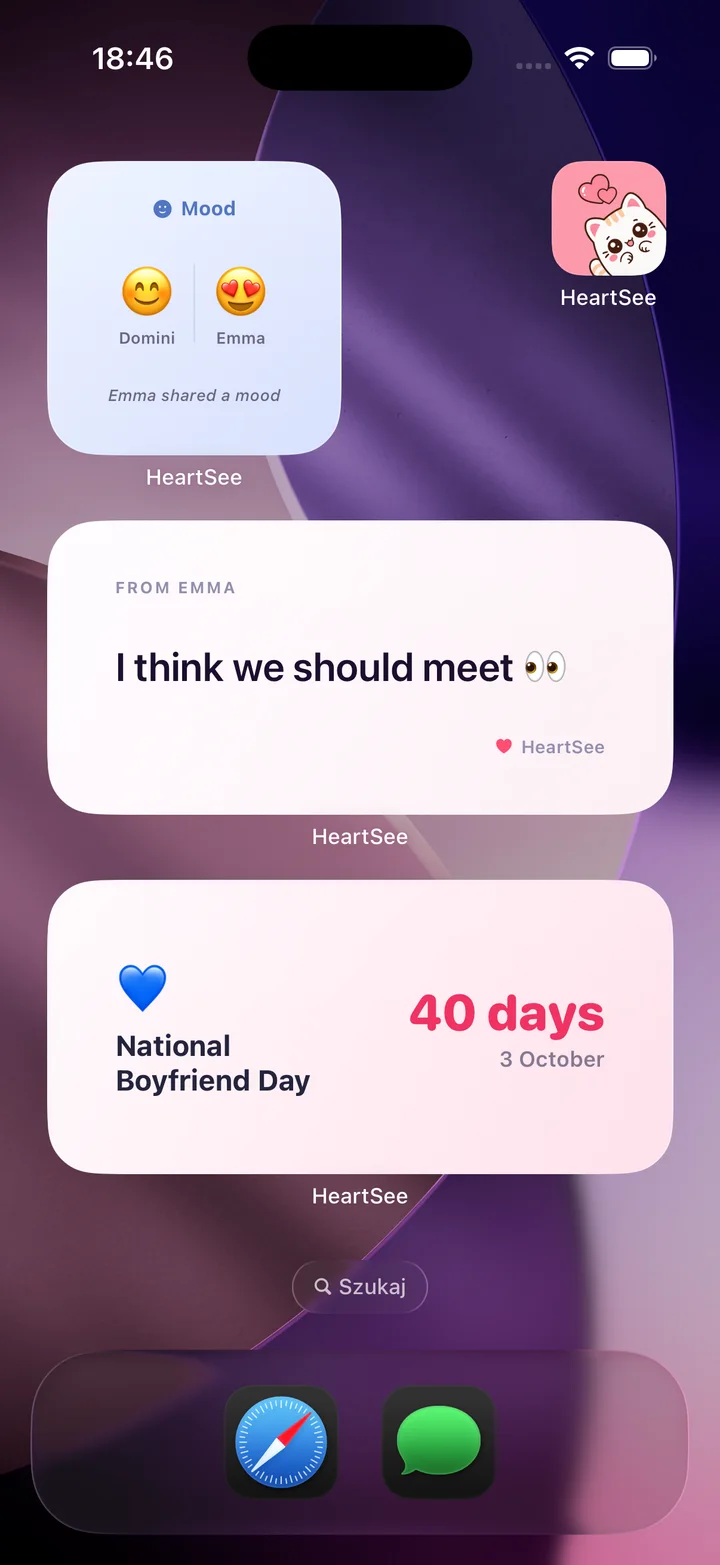
HeartSee is the app we make. It is a private iPhone space for two: partners pair with an invite code, then share distance, moods, notes, drawings, streaks, games, photos, milestones, and days together. Home Screen and Lock Screen widgets keep a chosen signal, such as distance or days together, visible without starting a new conversation.
That suits couples who miss the background awareness of being in the same place. A mood can say that today is difficult, a hand-drawn heart can arrive between meetings, and a glance at the Lock Screen shows how far apart you are. HeartSee is free to download, and its App Store listing says one Premium subscription covers both partners. It is much newer than most apps here, with 13 ratings in the US store.
- Best for: iPhone couples who want several small daily rituals in one app.
- Standout: couple-specific Home and Lock Screen widgets with distance and days together.
- Skip it if: either partner uses Android, or one of you is not comfortable sharing location for the distance feature.
Related reading: Long-distance relationship app: how HeartSee works · Couples widgets for iPhone
Paired: guided questions when calls start to feel repetitive
Paired focuses on short activities for couples. Its official FAQ and App Store listing describe daily questions, quizzes, games, and topic packs. Partners answer separately and compare responses, giving a call somewhere more interesting to begin than another recap of work or study.
Choose Paired when structured conversation is the main goal and both of you enjoy prompts. The free experience and Premium access differ, so review the current plan together. Agree that an unanswered activity is not a measure of commitment; a tool intended to create connection should not become homework.
- Best for: guided questions, quizzes, and expert-reviewed topics.
- Standout: a large library of structured couple activities.
- Skip it if: either iPhone runs a version older than iOS 17, the minimum on its listing.
Agapé: one meaningful daily question for two
Agapé takes a narrower approach: a personalized daily question that both partners answer. Its website says you see each other's responses only after you have both replied, so neither person simply echoes what the other has already said.
It suits couples who want a small ritual with a clear beginning and end. If schedules barely overlap, the question can carry one meaningful exchange across the day without both people being online at the same time. The developer's site links to both the App Store and Google Play.
- Best for: a repeatable five-minute conversation ritual.
- Standout: answers revealed only after you both respond.
- Skip it if: you want something on your Home Screen; its listing does not mention widgets.
How do you plan visits across two calendars? Cupla
Long-distance relationships contain a surprising amount of administration. Cupla is built around a shared calendar, date planning, key dates, and countdowns. Its App Store listing says it syncs with Apple, Google, and Outlook calendars and shows both schedules side by side.
Choose it when time zones, shifts, classes, and travel plans create more friction than a lack of conversation ideas. Use it to find overlap and protect quality time, but keep affection elsewhere too. A perfectly organized relationship can still feel emotionally quiet.
- Best for: coordinating busy calendars, trips, and future plans.
- Standout: both schedules in one couple-focused planning space.
- Skip it if: your calendars are simple and what you miss is everyday contact.
Do you want your partner on your Home Screen? Locket and widget apps
Locket places live photos from up to 20 friends directly on the Home Screen. It is not only for couples, but partners can use its central idea well: send an unpolished glimpse of the coffee, commute, weather, or face that would otherwise never become a full message.
If you want more than photos, three couple-focused widget apps are worth comparing. Widgetable's listing describes playful widgets, shared virtual pets, moods, and a distance widget on the Lock Screen. Couple Joy tracks the distance between partners and counts down to plans, and its website lists Home and Lock Screen widgets on iPhone and Android. Candle is built around daily photo prompts, games, and questions, and its release notes add Lock Screen countdowns and a distance widget.
- Best for: quick, authentic photos (Locket) or playful shared widgets (Widgetable, Couple Joy, Candle).
- Standout: something from your partner every time you unlock your phone.
- Skip it if: you need conversation or planning tools more than a glance at a photo.
Related reading: Apps like Locket for couples · Best couples widget apps for iPhone, compared
What if your time zones barely overlap? Marco Polo
Marco Polo is useful when time zones make live calls difficult. Each person records a video message and the other watches when available; its listing describes continuing the conversation on your own schedule. You keep facial expression, voice, and surroundings without both partners being awake at once.
An asynchronous video can carry the weekday, while a planned live call holds conversations that need immediate back-and-forth. This combination protects sleep and makes schedule differences less punishing.
- Best for: couples with little schedule overlap.
- Standout: video conversation without a live call.
- Skip it if: you prefer quick signals to recorded videos; its listing does not mention widgets.
Between: a private chat and album for two
Between is one of the established private communication apps for couples. Its listing describes a messenger just for two, a place for photos, videos, and notes, and a shared calendar that counts down to special days. Between Plus adds themes and high-quality photo options.
If your main need is a dedicated channel and shared images, that focused model may be enough. If you want iPhone widgets, daily games, and distance in the same experience, compare it with the widget apps above.
- Best for: a separate private chat and photo space.
- Standout: a long-running couple-specific communication format.
- Skip it if: you already message all day and want something other than another chat.
How do you choose an app you will still use next month?
Start with one friction point, not five. If calls are hard to schedule, test a calendar. If calls feel repetitive, try questions. If you miss ordinary signs of each other's day, try widgets, moods, photos, or drawings. Use the free version or trial long enough to see whether the habit survives an average busy week, and check that both phones meet the minimum iOS version in the table.
Then discuss privacy and pressure. Decide what can appear on a Lock Screen, whether location-based distance feels comfortable, and how often either person wants a prompt. No streak or reply time should become evidence in an argument. The most useful app creates an invitation to connect, not another way to monitor performance.
- Pick one shared need.
- Review permissions together.
- Try one app for seven ordinary days.
- Keep it only if both partners choose to return.
Related reading: How to choose a private couples app: a checklist · How to show the distance between you and your partner on iPhone
Frequently asked questions
What is the best app for long-distance couples?
It depends on what feels hardest. Widget apps such as HeartSee, Widgetable, Couple Joy, and Candle help with everyday presence; Paired and Agapé help with conversation; Cupla helps plan visits; Marco Polo helps across time zones; and Between gives you a private chat and album.
Which long-distance apps show the distance between you?
In this comparison, HeartSee, Widgetable, and Couple Joy describe a distance feature, and Candle's release notes mention a distance widget. Each one needs both partners to install the app, pair, and allow Location access.
Which apps work when our time zones barely overlap?
Choose asynchronous tools. Marco Polo sends video messages to watch later, Agapé and Paired let you answer questions at different times, and Home or Lock Screen widgets show a recent signal without either of you being online.
Do both partners need the same couples app?
Yes, for couple features. Both partners install the same app and pair. Check platforms first: HeartSee is iPhone only, while the Couple Joy and Agapé websites also link to Google Play.
Are long-distance relationship apps free?
All ten apps here are free to download and sell optional Premium plans or in-app purchases. Prices differ by app and plan, so compare the current listing. HeartSee's listing says one Premium subscription covers both partners.
Are long-distance relationship apps safe?
Safety depends on the app and your settings. Read the privacy policy, grant only the permissions you want, keep sensitive content off the Lock Screen, and never use location or activity data to pressure a partner.
Sources and product information
Product and platform details were checked against these official pages. Store availability, pricing, and iOS behavior may change.
- HeartSee on the App Store
- Paired FAQ
- Agapé
- Cupla features
- Locket on the App Store
- Marco Polo support
- Between support
- Agapé on the App Store
- Between on the App Store
- Candle on the App Store
- Couple Joy on the App Store
- Couple Joy website (Android and widgets)
- Cupla on the App Store
- Marco Polo on the App Store
- Paired on the App Store
- Widgetable on the App Store