Best Couples Widget Apps for iPhone (2026): Six Compared
Compare six couples widget apps for iPhone: HeartSee, Widgetable, Couple Joy, iScreen, Locket, and Konda. Lock Screen, distance, platforms, and cost, with sources.
| App | Best for | Lock Screen widgets | Distance widget | Android | Cost |
|---|---|---|---|---|---|
| HeartSee | A private space for two with distance, moods, and drawings | Yes | Yes | No | Free; Premium subscription |
| Widgetable | Playful widgets and shared virtual pets | Yes (listing) | Yes (listing) | Not checked | Free; Premium $4.99 a month or $19.99 a year |
| Couple Joy | A distance widget on iPhone and Android | Yes (its site) | Yes (its site) | Yes (its site) | Free tier; Premium (price not checked) |
| iScreen | Couple widgets inside a larger customization app | Yes (its article) | Yes (its article) | Yes (Google Play) | Free core widget; Premium (price not checked) |
| Locket | Live photos from up to 20 friends | Not listed | Not listed | Not checked | Free; optional Locket Gold |
| Konda | Photo and doodle widgets with daily questions | Yes (its article) | Yes (its article) | Not checked | Not stated by Konda |
What is a couples widget app?
A couples widget app puts one shared detail on your iPhone Home Screen or Lock Screen: your partner's mood, a note or drawing, the distance between you, or the days you have been together. The widgets come from a third-party app that both partners install and pair, so the first question is which app you will both actually open.
This page compares six options by what their own listings and sites say. It is built to help you narrow the choice, not to crown a winner. Features and prices change, so confirm them in the App Store before you subscribe.
How was this comparison made?
HeartSee publishes this article and is one of the six apps. There are no paid placements and no affiliate links. Facts come from each app's US App Store listing or its own website, checked on 2 October 2026. We did not run identical lab tests on every app, so any cell marked "Not checked" means exactly that, and a cell marked with a source means the developer says so.
Rating counts differ by orders of magnitude. HeartSee's US listing shows 11 ratings, Widgetable's 386 thousand, and Locket's 574 thousand. HeartSee is a much newer app, and that is worth weighing.
Zobacz też: Read our review methodology · Editorial policy
1. HeartSee: best for a private space for two
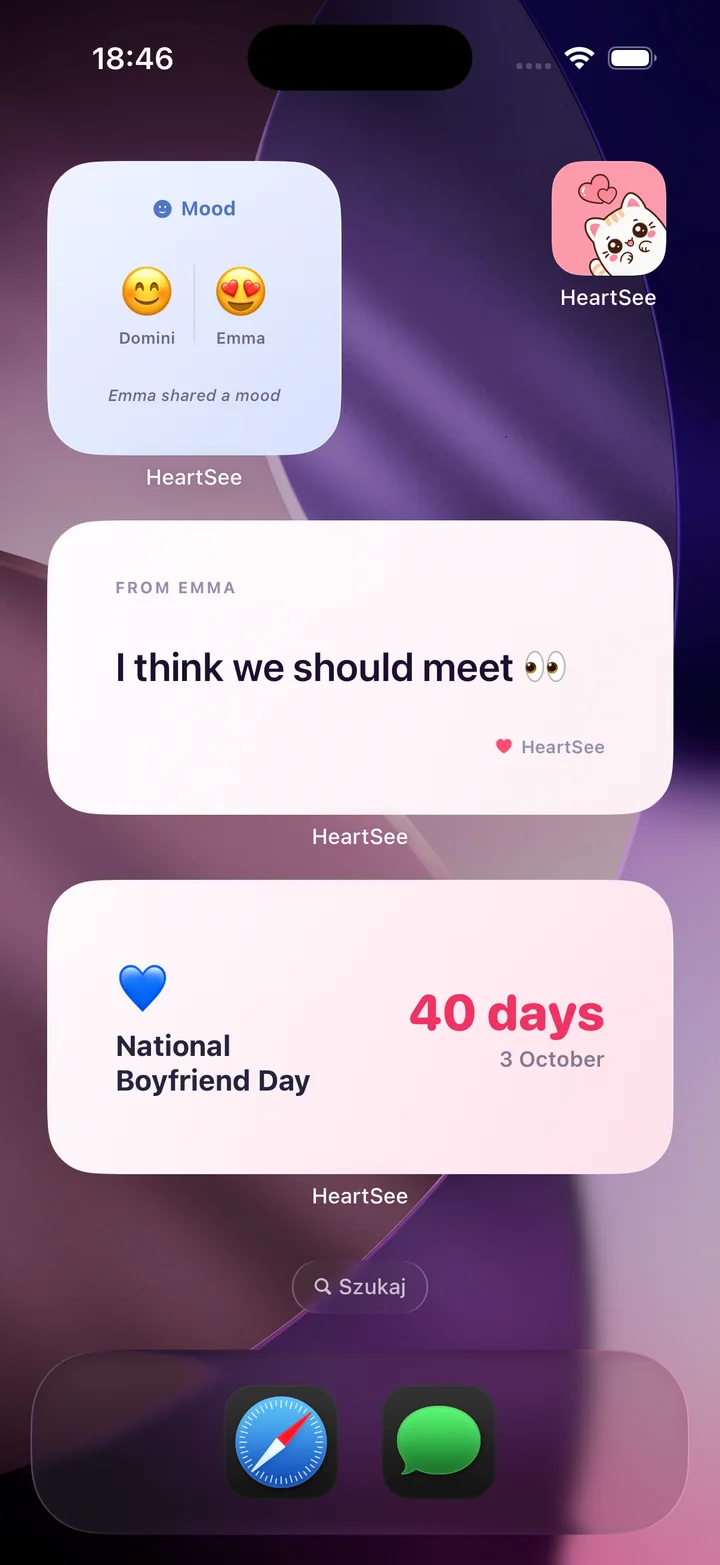
HeartSee pairs two iPhones with an invite code. Its listing describes Home Screen and Lock Screen widgets, distance tracking, and shared moods, notes, and drawings, plus daily games and questions, streaks, a shared memory book, and themes. It is free to download with optional Premium subscriptions, and it requires iOS 15.1 or later.
It suits couples who want several small rituals in one calm place. It is iPhone only, both partners need it, and distance depends on the Location permission each person chooses.
- Best for: couples who want distance, moods, drawings, and games together.
- Skip it if: one of you uses Android, or you only want live photos on the Home Screen.
Zobacz też: Couples widgets for iPhone · How to show the distance between you and your partner on iPhone
3. Couple Joy: best for distance on iPhone and Android
Couple Joy's own site lists iOS and Android versions, Lock Screen and Home Screen widgets, a distance widget, a days-together counter, a relationship journal, and question categories. It offers a free tier and a Premium tier. We did not check its current price.
It is the clearest choice here if you and your partner use different phones and want a distance widget on both.
- Best for: mixed iPhone and Android couples.
- Skip it if: you want drawings and games more than counters and journals.
4. iScreen: best for couple widgets inside a customization app
iScreen is a general iPhone customization app with themes, icons, and widgets. Its own comparison article says it covers four couple widget types: distance, days together, photo, and mood. It lists Lock Screen support and both iOS and Android versions, with a free core widget and a Premium subscription for extra themes.
That breadth is the appeal, and the limit. It is not built around a shared couple space, so look elsewhere if you want one.
- Best for: people who already like customizing their Home Screen.
- Skip it if: you want a dedicated private app for the two of you.
5. Locket: best for live photos from a small circle
Locket's listing describes a Home Screen widget that shows live photos from friends, with captions, reactions, and a limit of 20 friends. It is free with optional Locket Gold. The listing does not mention Lock Screen widgets or distance, and it is not couple-specific.
It does one thing, photos on the Home Screen, and does it for a large audience. Many couples keep Locket for photos and add a couples app for everything else.
- Best for: casual photo sharing with a few close people.
- Skip it if: you want distance, moods, or Lock Screen widgets.
Zobacz też: Apps like Locket for couples
6. Konda: best for photo and doodle widgets with daily questions
Konda's own article describes Home Screen photo and doodle sharing, Lock Screen widgets for distance, mood, and countdown, daily questions, games, quizzes, shared lists, and memories. Konda does not state its pricing there, so we left it unchecked.
Konda also publishes comparison articles about its category, so read its claims the way you read ours: as the maker's own description.
- Best for: couples who want photo or doodle widgets plus daily questions.
- Skip it if: you need pricing before you install.
Which couples widget app should you pick?
Choose by the one thing you want to see on your screen every day, then test it for a week together. A good widget is one you both still enjoy in a month.
- Photos from a small circle: Locket.
- Pets, wallpapers, and many widget styles: Widgetable.
- Distance across iPhone and Android: Couple Joy or iScreen.
- A private iPhone space with distance, moods, drawings, and games: HeartSee.
- Photo and doodle widgets with questions: Konda.
What does every widget app ask of you?
Every option here needs both partners to install it and pair. Any distance feature needs Location permission, and every widget follows iOS refresh limits, so what you see is a recent snapshot. Decide together what you are comfortable showing on a Lock Screen others can see.
Use the privacy checklist before you grant permissions, and read the battery article if you are worried about the cost.
Zobacz też: How to choose a private couples app: a checklist · Do couples widgets drain your iPhone battery?
Najczęściej zadawane pytania
What is the best couples widget app for iPhone?
It depends on what you want to see. Locket suits live photos, Widgetable suits pets and many widget styles, Couple Joy and iScreen list distance on iPhone and Android, and HeartSee suits couples who want distance, moods, drawings, and games in a private iPhone-only space.
Do both partners need the same couples widget app?
Yes. A couples widget compares two paired accounts, so you both install the same app and pair before the widget shows your partner's information.
Which couples widget apps show distance on the Lock Screen?
Widgetable's listing, HeartSee's listing, and the sites or articles of Couple Joy, iScreen, and Konda describe a distance widget. Locket's listing does not. Confirm the current feature and price in the store before you subscribe.
Is there a free couples widget app?
Five of the six list a free download or a free tier, and most gate extras such as themes or more widgets behind a Premium subscription. Konda's article does not state pricing. Check each listing for the current limits.
Are couples widgets safe to show on the Lock Screen?
Anyone who can see your phone can read the Lock Screen. Choose a compact, low-detail signal, such as days together, and keep personal notes for the Home Screen or the app itself.
Źródła i informacje o produktach
Szczegóły produktów i platform sprawdziliśmy na tych oficjalnych stronach. Dostępność w sklepie, ceny i działanie iOS mogą się zmienić.